Get straight to work.
A ribbon, formula bar, sheet tabs and familiar keyboard shortcuts. Spend your time on the workbook.
 Kallisto Cella
Download for Windows
Kallisto Cella
Download for Windows
A fresh perspective on spreadsheets
Your budget. Your business. Your next big idea. Plan, calculate and see the bigger picture in one beautifully familiar spreadsheet workspace.
Windows 10 / 11 · 64-bit · Alpha testing build
MORE THAN ROWS AND COLUMNS
The tools you reach for, together in a focused native spreadsheet. Start with a blank sheet, open an existing workbook or build on an example.
A ribbon, formula bar, sheet tabs and familiar keyboard shortcuts. Spend your time on the workbook.
Formulas, tables, conditional formatting and charts turn a busy sheet into a useful view of your project.
Open and save XLSX workbooks, import or export CSV, and work locally on your desktop.
BUILT FOR THE WORK IN FRONT OF YOU
A practical set of spreadsheet tools for budgets, estimates, schedules and the everyday work between them.
Calculate with a broad function library, dynamic arrays and named expressions with LET and LAMBDA.
CalculateExplore trends with charts, summarise data with PivotTables, and make patterns stand out with conditional formatting.
VisualiseOrganise with tables, sort and filter, add data validation, and leave cell comments for your next review.
OrganiseUse the command line, MCP server or control channel to connect external agents and automate workbook operations.
AutomateONE WORKSPACE. YOUR POSSIBILITIES.
A monthly budget, a business review or your next assignment. Start with the numbers that matter to you and build a clearer view.
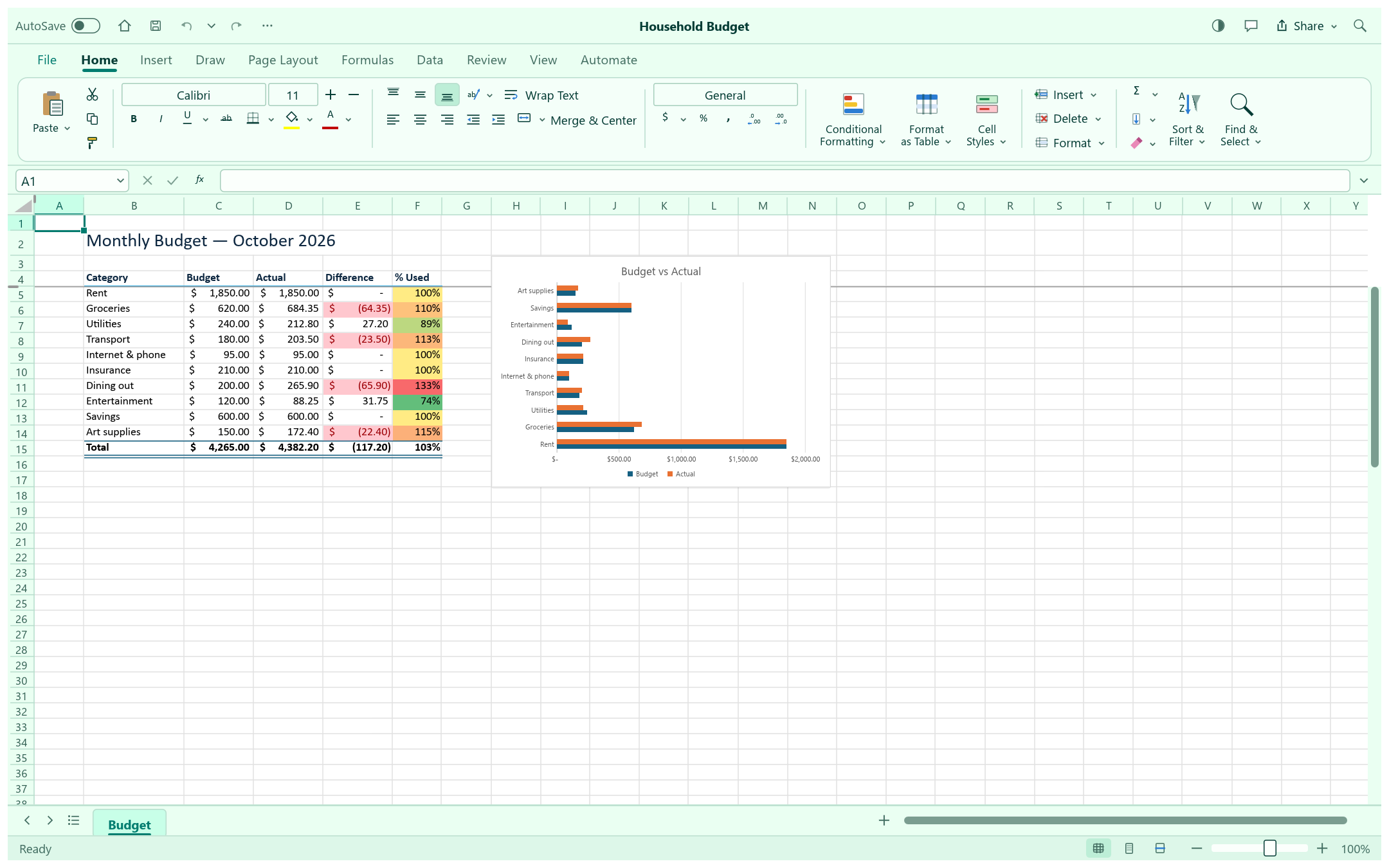
Actual app screenshot 01 PERSONAL & PROJECT BUDGETING
Organise income and expenses, calculate totals and compare planned amounts with what you spend. Keep the details together in a workbook you can revisit.
 Actual app screenshot
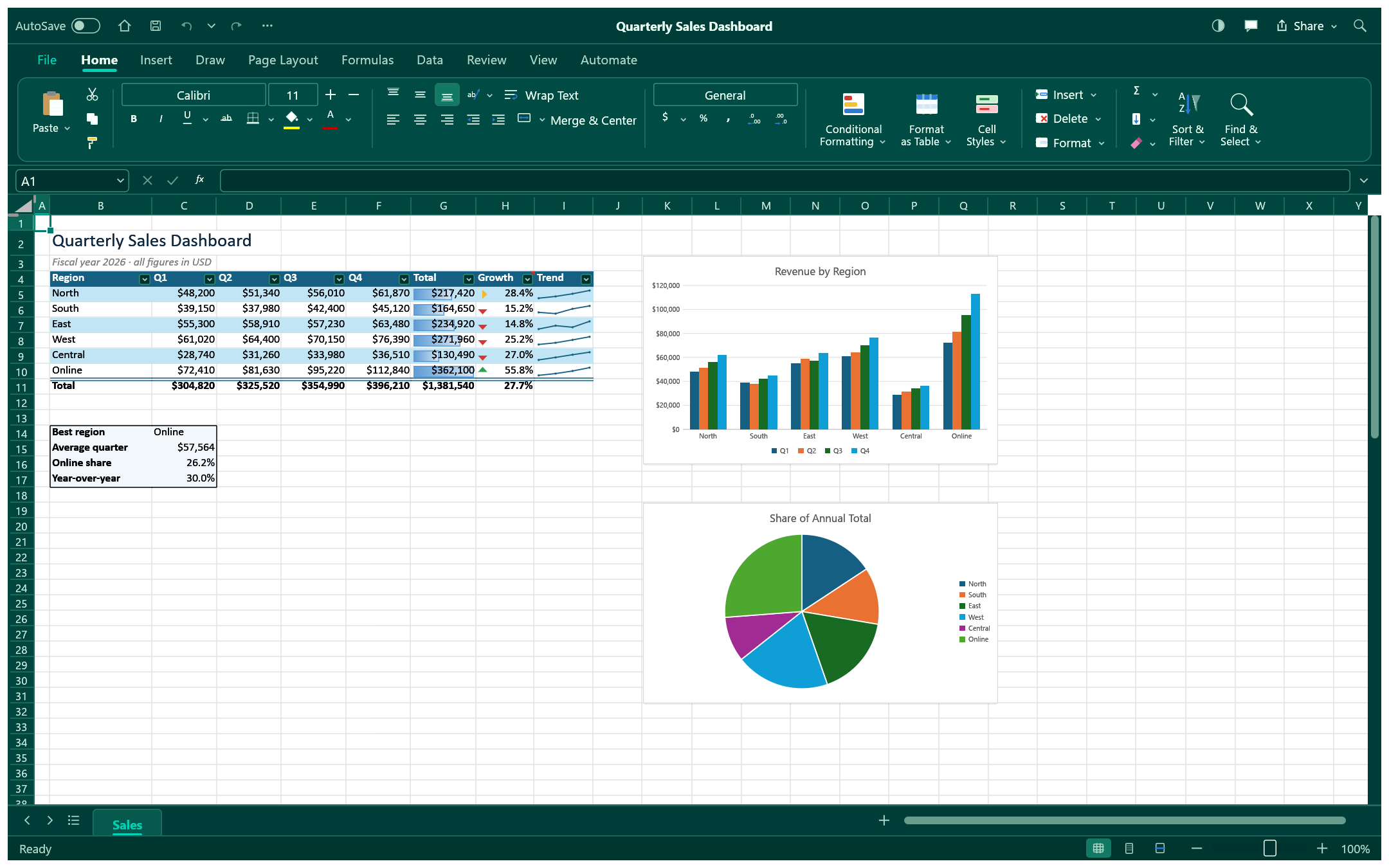
 02 SALES & BUSINESS DASHBOARDS
Bring a sales table into focus with totals, conditional formatting and charts. Sort and filter the details, then compare performance from one view.
 Actual app screenshot
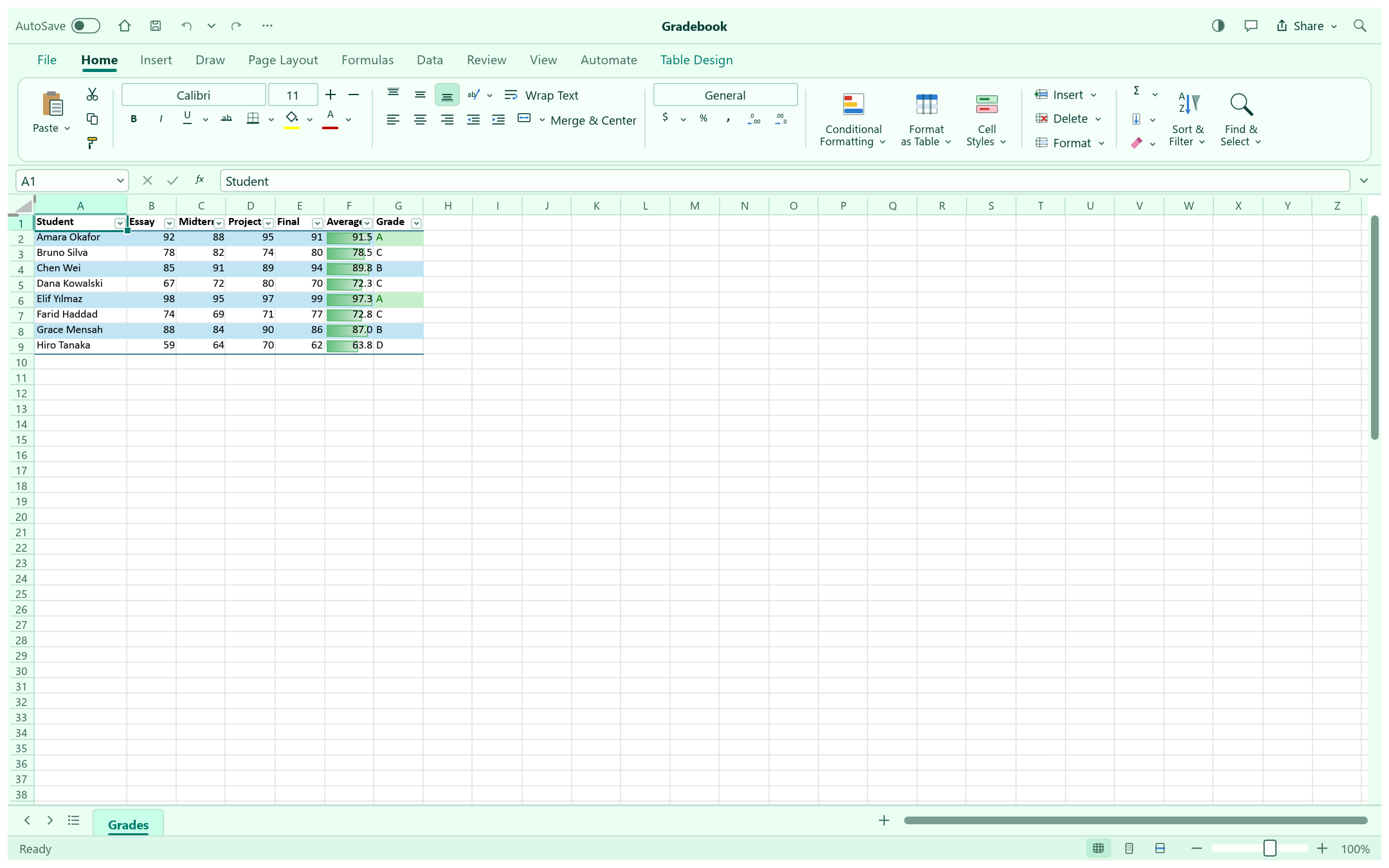
 03 STUDY & DATA ANALYSIS
Organise results, calculate averages and highlight patterns. Work through a gradebook, compare study data or open a CSV to start exploring your own questions.
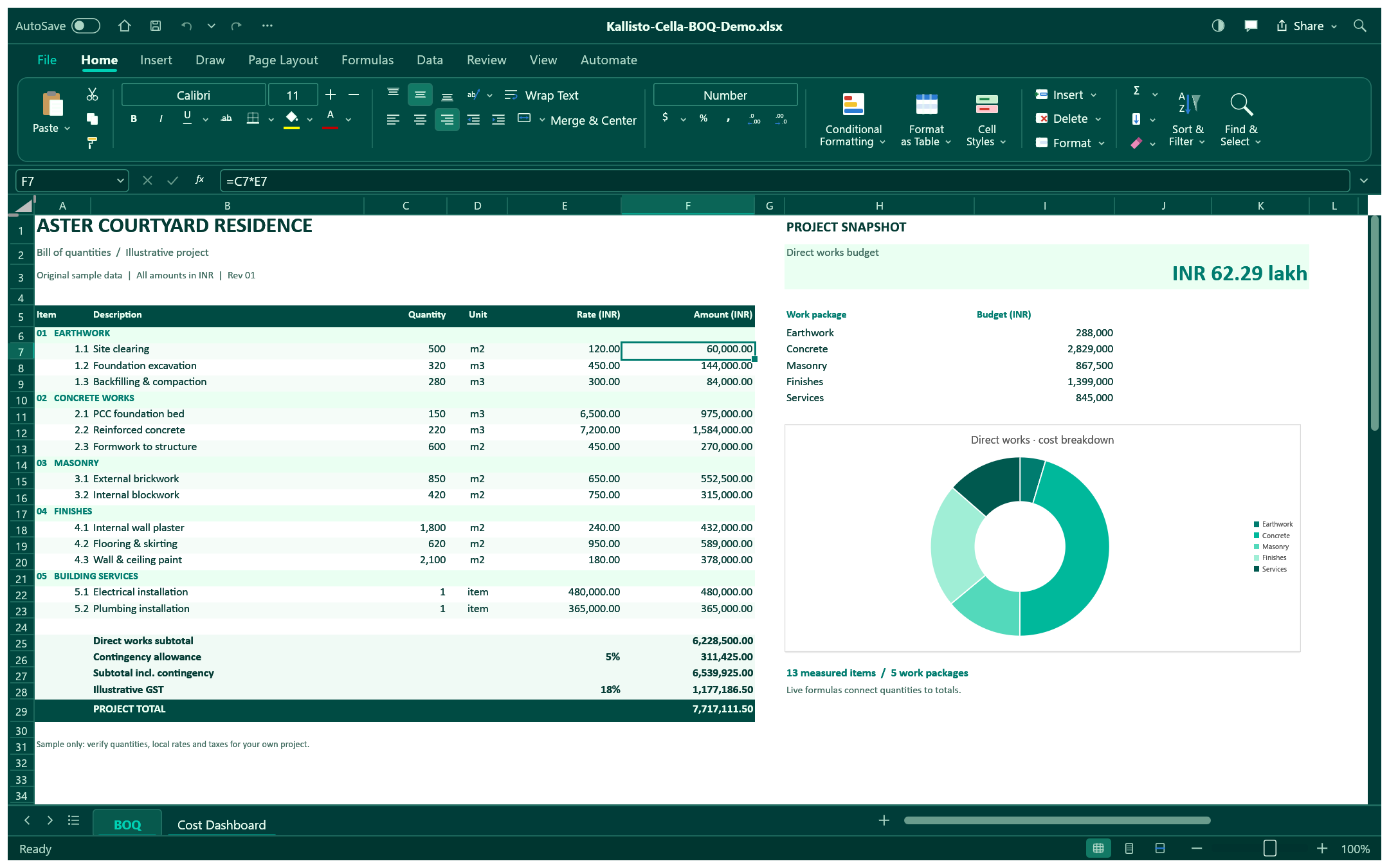
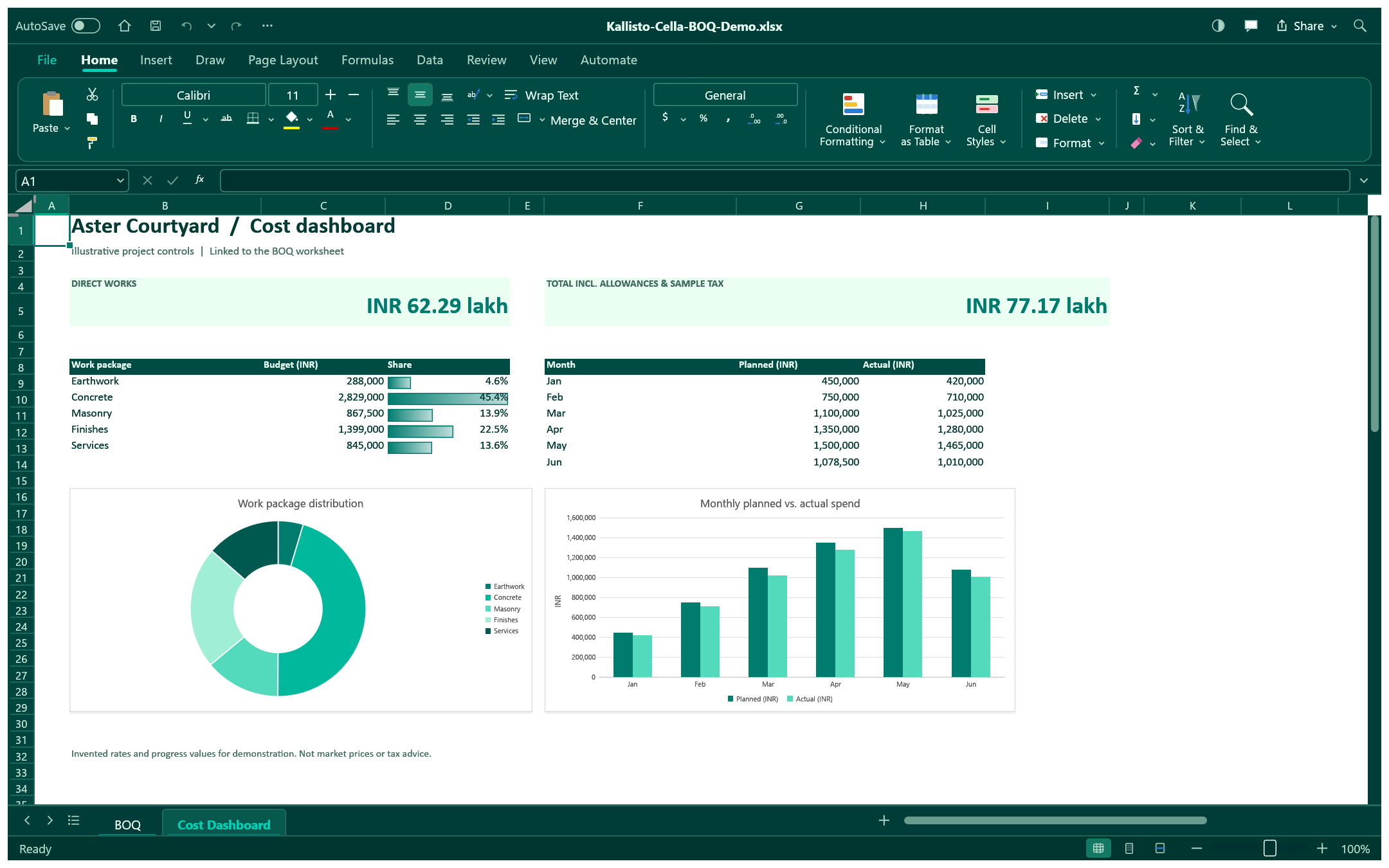
Working on a construction project? Explore a detailed bill of quantities and its linked cost charts.
See the BOQ exampleFROM THE FIRST QUANTITY TO THE FINAL FIGURE
Put your bill of quantities in perspective. List the work, enter quantities and rates, then see how each package contributes to the estimate.
Download the BOQ workbookExplore Aster Courtyard Residence, an illustrative BOQ in Indian rupees. Follow the estimate from individual line items to a visual cost breakdown, then change a quantity or rate to explore your own scenario.
Descriptions, units, quantities and rates.
Line amounts and category totals in one file.
Compare work packages with linked charts.
All quantities, rates, contingency and tax assumptions are illustrative. This is an editable example, not a market estimate or tax advice.
ASTER COURTYARD RESIDENCE
YOUR FILES. YOUR FLOW.
Keep it simple at the desktop, or connect your own tools when the work calls for more.
Open an XLSX file or bring in CSV data. Keep familiar formats at the centre of your workflow.
Use the desktop interface and keyboard shortcuts, with undo and redo as you refine your workbook.
CLI and MCP interfaces expose workbook commands for your own automation and agent setup.
MEET YOUR NEXT WORKSPACE
Install Kallisto Cella, open a sample or your own workbook, and make it your own.
Download for WindowsThis unsigned alpha is intended for testing and Windows may show a publisher warning. Test with copies of your workbooks and check the results with your own files.
View release details & SHA-256A FEW THINGS TO KNOW
Getting started, file formats
and the current testing build.
Personal and project budgets, sales dashboards, study and gradebooks, data analysis, construction bills of quantities and everyday calculations. Explore the sample workflows, start with a blank workbook or open your own XLSX or CSV file.
Kallisto Cella opens and saves XLSX workbooks and supports CSV import and export. Compatibility is still being developed, so check the results with your own files and keep backups during testing.
Download the installer on a 64-bit Windows 10 or Windows 11 PC and run it. This is an unsigned testing build; Windows may ask you to confirm the publisher. Release details and a SHA-256 checksum are linked beside the download.
The app has CLI, MCP and control-channel interfaces for external agents and automation. This download does not include a built-in AI chat or a hosted real-time collaboration service.
Yes. Kallisto Cella is published by Kallisto Innovation under the MIT or Apache-2.0 software license. The download includes the licenses and component notices; product branding has separate terms. Read the licenses and product notices.